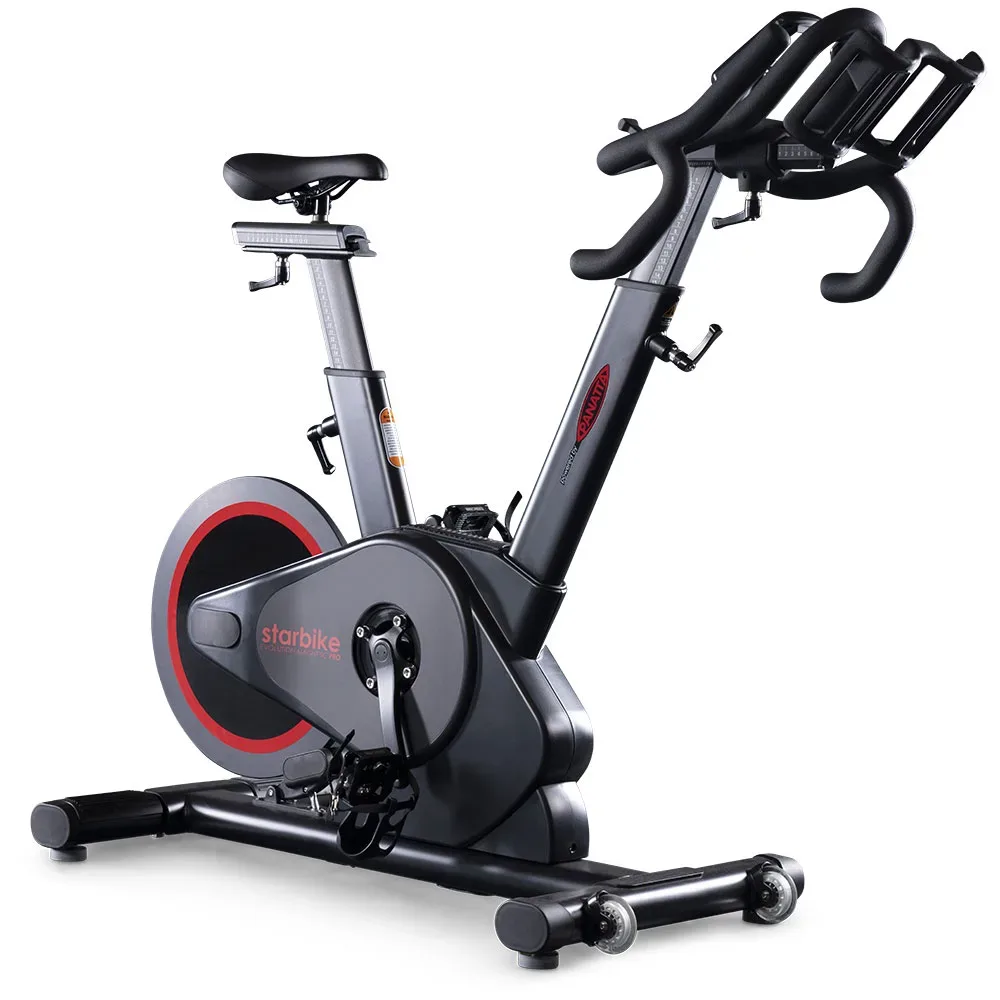
The Panatta Starbike Evolution Magnetic Pro with the Vortec VC-2B console can be used as a connected FTMS bike through QZ. In the confirmed user workflow, QZ detected the bike, received its ride data and passed the workout to Garmin. This turns a commercial indoor bike into a practical source for Garmin recording, compatible training applications and other QZ integrations.

Table of Contents
The bike and the VC-2B console
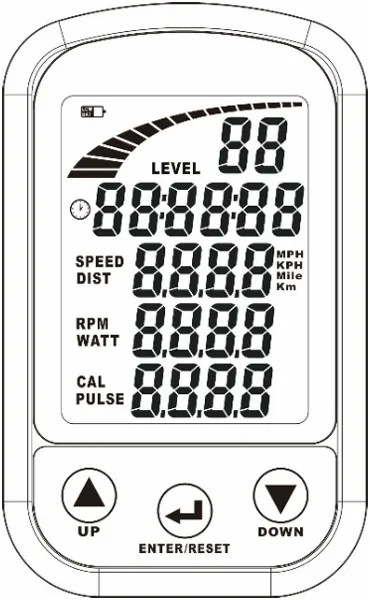
Panatta lists the Starbike Evolution Magnetic Pro as an indoor cycling bike with magnetic resistance and a VC-2B console. The console documentation shown on the product page includes level, time, speed, distance, RPM, watt, calories and pulse fields, while the product description identifies the console as the Bluetooth-equipped VC-2B model.[1]
What the confirmed QZ setup does
The user case behind this article involved a Panatta Starbike Evolution Magnetic Pro equipped with the Vortec VC-2B computer. QZ initially detected the Bluetooth computer but the values were not being interpreted correctly. After the bike was forced in QZ as an FTMS Bike and the settings were reset to a clean profile, the user reported that the bike connected and transmitted its ride data. In the final real-bike test, the user confirmed that the setup worked and that Garmin recognized the data as expected.
| Area | Confirmed result and scope |
|---|---|
| Bluetooth / FTMS | The Vortec VC-2B was detected by QZ and the working configuration used QZ’s FTMS Bike selection. |
| Ride data | The confirmed user workflow passed the bike’s live workout data into QZ; the console exposes speed, distance, RPM, watt, calories and pulse fields. |
| Garmin Connect | QZ uploaded the completed activity to Garmin Connect in the user’s test. |
| Garmin live sensor path | QZ was also recognized by Garmin through ANT+ in the final test, subject to Android hardware and ANT+ support. |
| Physical resistance control | The resistance remains adjusted on the bike. This draft does not claim that QZ remotely changes the Panatta’s magnetic resistance. |
Garmin: upload the finished workout or transmit live data
There are two useful Garmin paths. The simpler option is to record the session in QZ and upload the completed FIT activity to Garmin Connect. QZ’s integration guide explains that this does not require the Garmin watch to receive the data live; Garmin Connect receives the finished activity and can process its training metrics.[2]
For live data on a Garmin device, QZ can broadcast compatible metrics over ANT+ when the Android device running QZ has usable ANT+ transmission. In the confirmed user case, Garmin recognized the setup after the FTMS connection was working. If the phone lacks native ANT+, an appropriate USB ANT+ dongle, OTG adapter and ANT Radio Service may be required. QZ’s public integration guide warns that the hardware must support transmission, not only reception.[2] [3] [4]
More integrations through QZ
Once QZ has the bike data, the VC-2B setup can use the wider QZ ecosystem. These are QZ bridge and workout features, not claims that the Panatta console natively supports every service.
- Virtual FTMS bike: QZ can expose the session to compatible training applications through its virtual-device layer.
- Apple Health / HealthKit: on Apple devices, QZ can save completed workouts through the HealthKit workout path after permissions are granted.[5] [6]
- Google Health Connect: on Android, QZ can write the completed workout after Health Connect is available and its write permissions are granted. The workout is saved when the session is stopped in QZ.[7] [8]
- Strava and workout recording: QZ supports configured workout uploads and recording workflows; account permissions and the selected platform still apply.[6]
- Zwift, MyWhoosh, ROUVY, Kinomap and other apps: QZ lists compatible training applications and can bridge supported bike data to a virtual bike workflow.[9]
- Heart-rate sources: Bluetooth, ANT+ and Apple Watch heart-rate sources can be combined with QZ workouts.[6]
- Reports and automation: QZ includes configurable workout reports and integrations such as email, MQTT, Open Sound Control, text-to-speech and profiles.[6]
Recommended setup
- Install a current QZ build and grant Bluetooth permissions.
- Power the Panatta bike and keep it close to the QZ device.
- In QZ, select the detected Vortec VC-2B as FTMS Bike. If the profile has been heavily changed, create a clean profile and restart QZ.
- Pedal for a short test and confirm that speed, cadence/RPM, power and the available workout values update.
- For Garmin Connect, enable FIT upload and stop the workout in QZ when the session is complete.
- For live Garmin data, enable the QZ ANT+ bike option only on a device with compatible ANT+ transmission hardware.
- For Apple Health or Google Health Connect, grant the requested permissions and save the completed QZ workout.
Important Android background note
In the same user test, the Garmin stream later dropped to 0 W and 0 RPM until QZ was restarted. The user was investigating whether Android background management was involved. For reliable sessions, keep QZ in the foreground or exempt it from aggressive battery optimization while testing. This is a phone/Android background consideration, not a failure of the Panatta bike itself.
The short version
Panatta Starbike Evolution Magnetic Pro + Vortec VC-2B → QZ FTMS Bike → live bike data → Garmin Connect, Garmin ANT+, Apple Health, Google Health Connect, Strava, Zwift-compatible apps and more. The confirmed result is the FTMS-to-QZ-to-Garmin workflow. QZ reports the bike data and bridges it to other services; the Panatta’s physical resistance is still adjusted at the bike.
Read the official Panatta product page, visit QZ Fitness and review the QZ integration guide.
Sources
- Panatta Starbike Evolution Magnetic Pro — product and VC-2B console information.
- QZ integration FAQ — Garmin Connect FIT upload and live ANT+ workflow.
- ANT Radio Service — Android ANT+ service reference.
- Connect any indoor bike with your Garmin device — QZ Garmin bridge setup guide.
- QZ HealthKit integration — Apple Health workout path.
- QZ feature list — workout, heart-rate, apps and automation features.
- QZ Android FAQ — Google Health Connect permissions and completed-workout export.
- QZ Health Connect implementation — Android workout export implementation.
- QZ supported applications — compatible application scope.